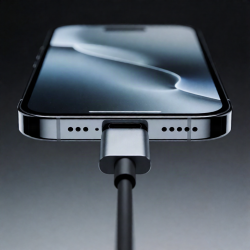
Top USB Data Blockers (Charge-Only) Safeguarding Your Devices

Introducing Maria, our meticulous planner and talented visual storyteller. She has a knack for discovering those hidden gems, chic boutique spots, and charming little cafes that add a touch of elegance to every journey. With her keen eye for photography and her passion for travel, Maria will transport you to the most enchanting corners of the world, inspiring you to explore new places, one picture-perfect destination at a time.
Want a fast, secure charger that blocks data? The JSAUX 4‑Pack Transparent USB Blockers let you power any device while isolating data lines. Quick‑Charge blockers stay compatible with those fast ports, and iPhone 15/16 blockers lock down Lightning cables as well. The 240‑W USB‑C variant protects laptops, all while staying tiny and lightweight. These charge‑only units keep malware out and keep your battery fast. Curious about sizing, battery compatibility, and warranty details, you’ll find out more.
Key Takeaways
- JSAUX 4‑Pack data blockers support 100 W PD, fast 2.4 A charging, and block both USB‑A and USB‑C data lines for secure public‑port use.
- Kabeino iPhone 15/16 set offers U‑A↔U‑A, U‑A↔U‑C, and U‑C↔U‑C blockers, guaranteeing 100 % anti‑hacker protection with a 12‑month warranty.
- ZIUYETEK 240 W USB‑C blocker delivers up to 240 W power for laptops while completely isolating data, lightweight at 0.705 oz.
- The 2‑Pack ZIUYETEK data blocker enables high‑speed charging without data handshake, ideal for minimalist travelers who need privacy and speed.
- All top blockers feature transparent shells, ultra‑compact sizes (≈1.2×0.39×0.20 in.), metal shells for heat dissipation, and 1‑year manufacturer warranties.
JSAUX 4-Pack Transparent USB Data Blockers, Secure Charging

If you’re tired of risking data theft every time you plug into a public outlet, the JSAUX 4‑Pack Transparent USB Data Blockers are the solution you need. These charge‑only devices block data lines while letting power flow, so your iPhone, MacBook, Samsung, or any USB‑A/C gadget stays safe. Each tiny unit supports PD 3.0, up to 100 W, and delivers 2.4 A. The set includes two USB‑A and two USB‑C blockers, all within a 1.18 × 0.39 × 0.20‑inch, 0.634‑oz case that’s clear, pocket‑sized, and keychain‑friendly. Pack them up for stress‑free travel and public charging spots. Feel confident knowing your data stays locked from ports.
Best For: travelers, commuters, and anyone frequently plugging into public USB ports who wants to keep data safe while still using fast charging.
Pros:
- Blocks data transmission, preventing malware and data theft on public chargers.
- Supports fast power delivery up to 100 W (PD 3.0/2.0) and 2.4 A for quick charging.
- Ultra‑compact, transparent, keychain‑friendly design for easy portability.
Cons:
- 2.4 A limit may be insufficient for high‑current devices that require 3 A or more.
- No extra features like USB‑C to USB‑A adapters or cable length adjustments.
- Requires separate blockers for Type‑A and Type‑C; incompatible if you only need one port type.

- The Ultimate Data Guardian: Worried about the risk of mobile phone data leakage or viruses when using public charging stations? A data blocker is an effective way to reduce these risks. By physically blocking data transfer, it helps protect your device from potential spyware or hacking attempts while charging
- Only for Charging: With our USB data blocker, you can charge your device without any risk of data transfer. It allows only the charging function while blocking data transfer and syncing. Your phone will not receive pop ups requesting data transmission
- Fast Charging for USB C Data Blocker: JSAUX USB C Data Blocker adopts PD 3.0/2.0 fast charging technology, supports 100W fast charging (20V/5A), and is also compatible with charging power of 240W/140W/60W/45W/36W/27W/15W, etc. The USB Data Blocker supports up to 2.4A charging. (NOTE: The actual charging speed depends on your device and wall charger.)
- Compact Design for Travel and Daily Use: Small and lightweight for easy carrying in pockets, backpacks, or keychains. Ideal for travelers, commuters, and anyone who frequently uses public charging stations. The transparent casing provides a modern and durable look
- USB & USB C Data Blockers 4 Pack: We offer you two USB Data Blockers and two USB C Data Blockers, compatible with iPhone 17/17e/Air/17 Pro/17 Pro Max, iPhone 16/16 Plus/16 Pro/16 Pro Max, iPhone 15/15 Plus/15 Pro/15 Pro Max, Samsung, iPad, Macbook and other devices. Works with both USB and USB C ports, ideal for safe charging at airports, hotels, and public charging stations
USB Charge-Only Data Blocker (2-Pack)

When you’re in a crowded airport or a bustling coffee shop, a USB charge‑only data blocker gives you peace of mind by severing data lines while still powering your devices. The ZIYUETEK blocker01 protects against juice‑jacking, malware, and trojans by blocking all USB data traffic. It charges fast—no handshake needed—so you keep pace on trains, flights, or in hotel lobbies. Its slender 1.18 × 0.71 × 0.47‑inch form factors weigh just 1.44 oz, letting it slip into any pocket or bag. The 2‑pack offers a spare or a way to share with friends. With a solid 125 customer reviews and #3,813 best‑seller rank, you can trust its reliability and enjoy hassle‑free, secure charging every time. Its warranty coverage and durable construction make it a worthy investment for anyone who values device security over convenience.
Best For: travelers, commuters, and public‑space users who prioritize data‑security while keeping devices powered on the go.
Pros:
- Cuts all USB data lines, protecting against juice‑jacking, malware, and trojans.
- Allows high‑speed charging without a data handshake, so you don’t lose battery life.
- Ultra‑compact (1.18 × 0.71 × 0.47 in., 1.44 oz.) so it slips easily into a pocket or bag.
Cons:
- Requires an extra USB cable; the blocker can’t replace a charger or cable.
- Only works with USB‑C cables, so legacy USB‑A chargers need an extra adapter.
- Small size means it can be easily misplaced if not stored carefully.

- [safe charging] Protect your personal privacy when you are using public charging stations / charging hubs! USB Data Blocker blocks data transfers and stops the threat of juice jacking, malicious viruses, trojans, and malware. shield your device at airports, train stations, rental cars, tourist attractions, malls, hotels, hospitals, coffee shops, schools, libraries, etc.
- [Practical function]If you connect your phone to a laptop/computer or car charger and you just want to charge it, this blocker can block the computer or car from automatically connecting to your phone, allowing you to use your device more easily.
- [Easy to use] Just connect the charging cable to the USB female port of the blocker, and then connect the male port of the blocker to the USB port, and the data blocking function of the blocker will work, simple and safe.
- [Unique design] After referring to the products currently on the market, we designed our products into wire form, so that our blocker has the function of data blocking, it can also act as an extension cord and any Direction connection
JSAUX Secure USB A Quick Charge Blocker (4-Pack)

Want a quick‑charge solution that keeps your devices data‑secure—no juice‑jacking, no malware? This 4‑pack JSAUX data blocker plugs into your Quick‑Charge port, delivering 2.4 A straight power without syncing data. You’ll feel the premium feel of its aluminum shell, and its 1.18 × 0.39 × 0.39‑inch size keeps it wallet‑friendly yet sturdy. It blocks any data‑transfer attempts, shielding your firmware and personal info from juice‑jacking or malware. The design stays silent—no pop‑ups, simple plug‑in removal. And with a one‑year warranty, you have coverage if anything goes wrong. Pack four devices and keep every charger safe on the go. You’ll never worry about slow juice.
Best For: travelers, commuters, and tech‑savvy users who need quick, secure charging without risking data theft.
Pros:
- 2.4 A fast‑charge delivery with Quick‑Charge compatibility.
- Durable premium aluminum shell for long‑lasting, wallet‑friendly use.
- Robust data‑blocking protects devices from juice‑jacking and malware.
Cons:
- Works only with Quick‑Charge ports; not universal for all USB outlets.
- No data sync capability—ideal only when you just want power, not file transfer.
- Requires a separate USB cable; the blocker alone cannot charge.
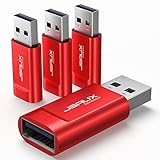
- Charge Only: No data-sync function. Safely charge in public, protecting against data breaches and viruses—ideal for travel and business trips
- 2.4A Fast Charge: Delivers up to 2.4A for iPhones, iPads, Samsung devices, tablets, MP3s, and most USB devices
- Metal & Non-Slip: Premium aluminum shell adds durability, protecting internal chips, while the non-slip design ensures easy insertion and removal
- Compact & Portable: Lightweight and small enough to fit in your wallet or pocket, perfect for travel
- No Pop-ups: JSAUX data blocker prevents any data transmission requests on your phone
USB A/C Data Blocker for iPhone 15/16

The USB‑A/C Data Blocker for iPhone 15/16 is ideal for anyone who needs a simple, reliable way to charge their Apple device without risking data theft. You’ll get six blockers—USB‑A↔USB‑A, USB‑A↔USB‑C, USB‑C↔USB‑C—in a 5.24 × 3.27 × 0.47‑in case that weighs 1.13 oz. Kabeino’s design blocks all data lines, allowing only power, and it’s trusted by governments for its 100 % anti‑hacker guarantee. A 4th‑generation chip auto‑switches to the fastest universal charging standard, supporting up to 2.4 A for iPhone 15/16, Galaxy, iPad, and MacBook. The metal shell dissipates heat safely, and a 12‑month warranty plus 24‑hour support bring peace of mind. Charge confidently—no juice‑jacking, just steady power.
Best For: It is perfect for security‑conscious travelers and professionals who need to charge iPhone 15/16 and other USB‑C devices without risking data theft while on the go.
Pros:
- Completely blocks data lines, ensuring 100 % protection against “juice‑jacking.”
- Supports fast charging up to 2.4 A, keeping iPhone 15/16, iPads, Macs, and Android phones charged quickly.
- Comes with a 12‑month warranty and 24‑hour support, plus a metal shell for safe heat dissipation.
Cons:
- Limited to the included six blockers; you may need to purchase additional units for more cables.
- Slightly bulkier than a standard cable, which could inconvenience tight travel packing.
- Requires a separate cable; the blocker itself does not transmit power without an accompanying USB cable.

- 【Combination set】: More affordable, The data blocker combination kit shown in the main image, which can meet your daily use needs, suitable for any mobile phones and electronic devices with USB A and USB C interfaces.
- 【PROTECT YOUR PHONE / TABLET】 : Think about that Traveling or going out in public areas one time when you needed a charge at an airport but were too scared to get juice jacked. That is why we brought this data blocker for you. Charge your device with this powerful USB data blocker without worrying about any hacker getting in your device.
- 【HIGH SPEED CHARGING】: USB defenders are made for blocking the hacker as well as fast charging, The 4th generation design chip can be used for the universal charging standards automatically switch to, Compatible with Various brands of smartphones, ensure compatibility with your device. and charge at up to 2.4 Amps.
- 【to make high quality safety products】:Advance manufacturing process design The metal shell material has multiple safety protection functions such as heat dissipation and fire safety, USB Data Blocker are used by the governments of the USA, Canada, UK and New Zealand as well as 100s of corporations around the world to secure their devices,100% guarantee against hacker attack.
- 【Perfect Compatibility】: We USB-C to USB-C and USB-A to USB-C data blocker ensures seamless data security across all your Type-C tech gadgets including iPhone 15 and 16 series, Galaxy S25 S24 S23 S22 S21 S10, USB-C iPad, Android Tablets, MacBooks, and more
USB C Data Blocker, 240W PD, 2-Pack

Need to power a high‑draw laptop swiftly while keeping your data private? The 240W USB‑C data blocker delivers blazing speed without the risk of data theft. In a sleek two‑pack, each tiny red device disables the data pins, shutting down any chip‑level intrusion while letting you charge at full PD capacity. It fits all USB‑C gear—from iPhone 15‑17 and Galaxy S‑series to MacBook Pro and Android tablets—so you can plug it into any cable. Built with a hard‑tough metal shell, it’s as small as 0.9 × 0.44 × 0.24 inches yet robust enough for daily travel. Use it to guard every connection daily.
Best For: power‑hungry laptop users and privacy‑conscious tech users who need a safe, fast charging solution.
Pros:
- Delivers up to 240 W USB‑C PD for quick, high‑draw charging.
- Completely disables data pins, protecting against theft and malware.
- Tiny, rugged metal design fits in any travel bag or pocket.
Cons:
- Requires a USB‑C → USB‑C cable for optimal performance; USB‑A cables won’t work.
- No data transfer capability—cannot charge a phone from a USB‑A port.
- Two parts per pack may require handling two units unless one is kept separately.

- Special Attention: For optimal charging speeds, ensure the entire connection is USB-C to USB-C from end to end. Using this Data Blocker with a USB-A to USB-C cable may result in slow charging or no charging due to the absence of data pins.
- No Loopholes Data Security: Hackers are everywhere—don't let your USB-C devices fall prey! Our blocker ensures comprehensive protection against malware, viruses, and hacking threats, guaranteeing data integrity and privacy, thanks to its no data pins feature
- Juice Jacking Shield: Our robust solution stands guard against data theft, ensuring your personal information remains secure from unauthorized access
- Perfect USB C-to-C Compatibility: Our USB C male to USB C female data blocker ensures seamless data security across all your Type-C tech gadgets including iPhone 15, 16 & 17 series, Galaxy S25 S24 S23 S22 S21, Fold & Flip Series, USB-C iPad, Android Tablets, MacBooks, and more
- Safe and Uncompromised Fast Charging: Experience worry-free charging of up to 240W PD, whether you're at hotels, airports, university libraries, or outdoor charging stations. With fast charging capabilities, your devices remain safeguarded wherever you go.

USB Data Blocker 4-Pack Charge-Only Adapters

If you’re a frequent flyer who leaves devices on airport terminals, these USB data blockers give you peace of mind by masking data pins while still delivering power. Packed in a 4‑pack, these adapters offer USB‑A→C and USB‑C→A options, each built from a aluminum alloy shell that feels lightweight at just 0.705 oz. They block every data pin, guaranteeing 100 % hacking‑proof protection so you never risk a malicious transfer on public ports. The 5 × 3.03 × 0.31‑inch size lets them slip into wallets or desk organizers. Ideal for smartphones, tablets, or any USB device, they’re ready wherever you need a safe charge today.
Best For: frequent travelers, commuters, and security‑conscious smartphone or tablet users who want to safely charge on public USB ports.
Pros:
- Completely blocks data pins, giving 100 % hacking‑proof protection.
- Dual‑direction sockets (USB‑A→C and USB‑C→A) for versatile charging needs.
- Ultra‑lightweight aluminum alloy design that fits easily in wallets or travel pouches.
Cons:
- Only provides power; you’ll need a separate data cable for uploads or syncs.
- Designed for standard USB‑A/USB‑C ports—doesn’t work with specialty connectors.
- Being a blocker, it may limit the ability to use fast‑charge USB‑C PD profiles that rely on data pins for negotiation.
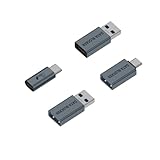
- upgraded version:rgzhihuifz data blocker is constantly pursuing innovation, with products that are smaller and more convenient for you to use and carry, Aluminum alloy shell design is more exquisite and durable.
- Multiple models to choose from: More affordable, We offer a variety of USB A to C and USB C to C data blockers for you to choose from, and there is always one that suits you, which can meet your daily use needs, suitable for any mobile phones and electronic devices with USB A and USB C interfaces.
- PROTECT YOUR PHONE / TABLET : Think about that Traveling or going out in public areas one time when you needed a charge at an airport but were too scared to get juice jacked. That is why we brought this data blocker for you. Charge your device with this powerful USB data blocker without worrying about any hacker getting in your device.
- Compact & Convenient : Lightweight and small enough to fit in your pocket, wallet, or travel pouch. Keep one at your desk and one in your bag for always-available protection wherever you charge.
- You will receive: USB A to C data blocker 4-Pack and USB A to C C to A data blocker 4-Pack, You will no longer worry about USB cable compatibility issues, two types of DATA BLOCKER can meet your daily charging needs!
RUXELY USB & USB‑C Data Blocker 3‑Pack

Because your data matters, RUXELY’s 3‑Pack lets you charge anywhere—plugging into a USB‑C port for up to 100 W or a USB‑A for 15 W—while its built‑in data‑blocking circuitry severs all data lines, shutting out juice‑jacking, malware, and unwanted spying. It contains two USB‑A and one USB‑C male‑to‑male cables, 5‑pin, 5 A, 5.2 × 2.4 × 0.67 in and 1.44 oz. Data lines are blocked, keeping you safe from juice‑jacking and malware at airports, cafés, or hotels. The USB‑C cable supports 100 W PD charging; the USB‑A up to 15 W. Aluminum connectors and nylon‑braided housings make it rugged yet lightweight, for travel on iPhone, iPad, MacBook, Samsung, USB‑A/USB‑C devices.
Best For: travelers, commuters, and anyone who needs to charge their devices safely in public places—especially iOS and Android users flying, staying in hotels, or using airport lounges.
Pros:
- Cuts all data lines, blocking juice‑jacking, malware, and data theft while still delivering up to 100 W PD power to USB‑C devices.
- Compact, lightweight design (5.2 × 2.4 × 0.67 in, 1.44 oz) with aluminum connectors and nylon‑braided housings for everyday portability and rugged use.
- Includes both USB‑A (15 W) and USB‑C (100 W) male‑to‑male cables, covering almost every charger port on iPhones, iPads, MacBooks, Galaxy, OnePlus, and more.
Cons:
- Male‑to‑male form factor means you need productive devices with compatible ports; it cannot connect to USB‑A female ports or adapters.
- USB‑A cable is limited to 15 W, which may be insufficient for fast charging newer laptops or high‑power devices.
- It only provides cables; you still need an external power source (wall charger, car adapter, or battery pack) to power the devices.

- (Upgraded Universal Privacy Protection) This upgraded set includes 2 USB-A and 1 USB-C shielded data blocker cables, offering versatile privacy protection for both modern and traditional devices. Whether charging via USB-C or USB-A, your personal data stays secure while powering up.
- (Data Protection in Public Spaces) Stay safe at airports, hotels, cafes, and other public places. This USB data blocker cable (USB-C & USB-A versions available) disables data transfer, protecting your device from hacking, malware, and data theft while charging at unknown ports.
- (Secure High-Speed Charging) The USB-C Data Blocker supports up to 100W (20V/5A)PD fast charging, while the USB-A Data Blocker delivers up to 15W (5V/3A). Both feature a charge-only design that ensures safe, efficient power delivery while preventing data leakage.(NOTE: Actual speed depends on your device and charger.)
- (Durable and Portable) Built with durable aluminum alloy connectors and a tough nylon braided exterior, these cables resist daily wear and tear. Lightweight and portable — perfect for business trips, vacations, or everyday carry.
- (Versatility in Compatibility) Compatible with a wide range of USB-A and USB-C devices — including iPhone 17/17 Air/17 Pro/17 Pro Max, iPhone 16/16 Plus/16 Pro/16 Pro Max, iPhone 15/15 Plus/15 Pro/15 Pro Max, Samsung phones, iPad, MacBook, and other smartphones, tablets, cameras, and laptops. wherever you charge, your devices stay powered while your data stays safe.
USB-C Data Blocker for iPhones (6-pack)

The USB‑C Data Blocker is the ideal companion for travelers who want to keep their iPhones safe at public charging stalls. It’s a 6‑pack from BUISAMG, featuring a two‑piece USB‑A to USB‑C set and a three‑piece USB‑C to USB‑C set in red and grey. With a 2025 upgraded model, the compact 0.82‑inch length hides an aluminum alloy shell that’s lightweight yet sturdy. It handles up to 2.4 A on USB‑A to USB‑C and up to PD 240 W on USB‑C to USB‑C, so you can charge iPhone 15/16 and other devices safely. It blocks data lines, stopping juice‑jacking and malicious access—transferring power only.
Best For: travelers and public commuters who want secure, data‑free charging for their iPhones and other USB‑C devices.
Pros:
- Compact 0.82‑inch aluminum alloy design for durability and portability.
- 100 % data‑blocker guarantees protection against juice‑jacking and malicious access.
- Supports up to 2.4 A on USB‑A→USB‑C and PD 240 W on USB‑C→USB‑C, compatible with iPhone 15/16 and most USB‑C devices.
Cons:
- Only covers data lines; other security threats like firmware attacks still possible.
- 2.4 A limit on USB‑A→USB‑C may be insufficient for some high‑power external devices.
- Requires a 6‑pack, which may be overkill for users needing only one or two blockers.

- 【2025 upgraded version】BUISAMG's data blocker is constantly pursuing innovation, with products that are smaller and more convenient for you to use and carry, The maximum length of USB A to C and USB C to C data blockers is only 0.82 inches (21mm), Aluminum alloy shell design is more exquisite and durable
- 【Multiple models to choose from】: More affordable, We offer a variety of USB A to C and USB C to C data blockers for you to choose from, and there is always one that suits you, which can meet your daily use needs, suitable for any mobile phones and electronic devices with USB A and USB C interfaces
- 【HIGH SPEED CHARGING】: USB defenders are made for blocking the hacker as well as fast charging, data blocker ompatible with Various brands of smartphones, ensure compatibility with your device. USB A to C charge at up to 2.4 Amps, USB C to C Supports up to PD 240W
- 【PROTECT YOUR PHONE / TABLET】 : Think about that Traveling or going out in public areas one time when you needed a charge at an airport but were too scared to get juice jacked. That is why we brought this data blocker for you. Charge your device with this powerful USB data blocker without worrying about any hacker getting in your device
- You will receive: USB A to C data blocker 2-Pack and USB C to C data blocker 1-Pack, Or choose USB C to C data blocker 3-Pack (Red+Grey), You will no longer worry about USB cable compatibility issues, two types of DATA BLOCKER can meet your daily charging needs!
RUXELY USB Data Blocker 3-Pack Charge-Only

Travelers looking for a worry‑free charging solution can rely on the RUXELY USB Data Blocker 3‑Pack, which actively blocks data transfer while delivering up to 3 A of current.
You plug it into any public USB port, and its nylon‑braided cable keeps the connection sturdy while its aluminum alloy connectors guarantee a solid match with USB‑A and USB‑C adapters. It fits iPhone 15‑17, Samsung Galaxy S23‑S25, iPad models, MacBook, Sony, LG, OnePlus—basically any USB‑A device, and it works outdoors or indoors.
Each cable is 0.18 m, weighs 0.04 kg, fits an 5.24 × 2.36 × 0.67‑inch box. It delivers 60 W at 3 A/5 V and comes with a only warranty.
Best For: Travelers who need a quick, reliable way to charge devices safely at public stations without risking data theft.
Pros:
- Plug‑and‑play design eliminates the need for software or drivers.
- Lightweight, nylon‑braided cables add durability and a full 3 A charge rate.
- Multi‑device compatibility covers iPhones, tablets, laptops, and Android phones.
Cons:
- Only charges at 5 V/3 A, which may be slower for high‑power laptops.
- No data ports for tethering or debugging purposes.
- Small packaging limit may leave some users with just one or two cables.

- ⭐(Versatility in Compatibility) Works seamlessly with a broad range of USB-A devices, including iPhone 17/17 Air/17 Pro/17 Pro Max, iPhone 16/16 Plus/16 Pro/16 Pro Max, iPhone 15/15 Plus/15 Pro/15 Pro Max, Samsung phones, Android smartphones, tablets, digital cameras, and more—ideal for users who value privacy across all their devices.
- (Durable and Portable) Made with a nylon braided cable and aluminum alloy connectors, the USB charger-only cable is durable and lightweight. The 0.18m (0.6-foot) length makes it easy to carry and less likely to be lost.
- (Charging Without Compromise) In a world where cyber threats lurk around every corner, a USB Data Blocker is indispensable for your safe navigation.The Ruxely USB Data Blocker is your loyal guardian as it can effectively prevent unauthorized access to your data without compromising on its 3 Amps charging speeds.
- (Plug-and-play) This USB data blocker is also incredibly user-friendly. Just get things up and running in the blink of an eye.There are no complicated installations or additional software required.
- ⭐(Ideal for Sensitive Environments) Perfect for use in public charging stations like airports, hotels, and cafes, the USB charge-only cable ensures your data stays secure while charging, preventing juice jacking,making it a critical tool for users prioritizing privacy and data protection.
USB A & C Data Blocker 4-Pack (Red)

Looking for a way to keep your gadgets safe while charging? The USB A & C Data Blocker 4-Pack (Red) delivers that protection. It bundles two USB‑A and two USB‑C blockers in a bright red case, model BUISAMG‑XXXX, ASIN B08NFVH8M8. All your Type‑C devices—including iPhone 15/16, Galaxy S10‑S25, iPads, Android tablets, and MacBooks—connect through these blockers to block data while still delivering up to 2.4 A fast charging. The 4th‑generation chip automatically picks the right charging standard, while the metal shell keeps heat low and adds fire safety. Warranty coverage hands you peace of mind for every trip, drive, or day and stay secure.
Best For: travelers, commuters, and anyone who wants to charge safely on the go.
Pros:
- Blocks data to prevent juice‑jacking while still delivering up to 2.4 A fast charging.
- 4‑pack includes both USB‑A and USB‑C, covering most devices (iPhone, Galaxy, iPad, MacBook, tablets).
- Durable metal shell provides heat dissipation and fire‑safety protection.
Cons:
- Adds a small extra length to the cable, which can be inconvenient in tight spaces.
- Limited to selection of two USB‑A and two USB‑C units; larger groups may need additional purchases.
- No shareable device info (e.g., no energy monitoring or connectivity logs).

- 【Combination set】: More affordable, The number of blocker combinations shown in the main image, which can meet your daily use needs, suitable for any mobile phones and electronic devices with USB A and USB C interfaces.
- 【Perfect Compatibility】: We USB-A to USB-C data blocker ensures seamless data security across all your Type-C tech gadgets including iPhone 15 and 16 series, Galaxy S25 S24 S23 S22 S21 S10, USB-C iPad, Android Tablets, MacBooks, and more
- 【PROTECT YOUR PHONE / TABLET】 : Think about that Traveling or going out in public areas one time when you needed a charge at an airport but were too scared to get juice jacked. That is why we brought this data blocker for you. Charge your device with this powerful USB data blocker without worrying about any hacker getting in your device.
- 【HIGH SPEED CHARGING】: USB defenders are made for blocking the hacker as well as fast charging, The 4th generation design chip can be used for the universal charging standards automatically switch to, Compatible with Various brands of smartphones, ensure compatibility with your device. and charge at up to 2.4 Amps.
- 【to make high quality safety products】:Advance manufacturing process design The metal shell material has multiple safety protection functions such as heat dissipation and fire safety, USB Data Blocker are used by the governments of the USA, Canada, UK and New Zealand as well as 100s of corporations around the world to secure their devices,100% guarantee against hacker attack.
PortaPow USB Data Blocker (2 Pack) – Protect Against Juice Jacking

If you’re a data‑conscious traveler or office worker, the PortaPow USB Data Blocker lets you charge safely—because it physically blocks data lines, thwarting juice‑jacking attacks even when the USB port is disabled by IT. This 2‑pack adapter keeps your devices protected in cars, airports, and office kiosks, cutting off data sync, hacking, and virus upload. A clear indicator confirms the block, and its slim 3.54×2.36×0.39‑inch form keeps it pocket‑friendly. Weighing just 0.317 oz, it is easy to roll into a bag. Though discontinued, a 12‑month warranty remains, and support covers repairs, returns, and replacements for all your USB needs today.
Best For: People who travel, work in secure environments, or want a quick, device‑independent way to block data transfer while still charging their USB devices.
Pros:
- Physically blocks all USB data lines, eliminating juice‑jacking risk.
- Clear indicator confirms data blockage for instant peace of mind.
- Compact, lightweight design (3.54×2.36×0.39 in., 0.317 oz.) fits any bag without added bulk.
Cons:
- Only supports USB‑A to USB‑A; no USB‑C or other ports included.
- Discontinued by the manufacturer—new units may be harder to find.
- Requires a spare USB cable; it does not carry charging power on its own.

- Attach between your USB cable and charger to physically block data transfer / syncing; Charge mobile devices without any pop-ups or risk of hacking / uploading viruses in cars, airports etc
- This is our USB-A to A version, USB-C and others available; Read below if its the right one for your device
- The only data blocker to physically show you that its blocking data and several other great features; See full details below
- Allows charging without any risk of hacking / uploading viruses, can charge from an office PC even if USB socket has been disabled without breaking IT policy
4-in-1 Universal USB Data Blocker (2-Pack)

Managing a fleet of devices means you need a lock‑down solution that blocks data transfers while delivering charging—this is exactly what the in‑1 Universal USB Data Blocker (2‑Pack) does. The 4‑in‑1 blocker handles USB‑A↔USB‑C, USB‑A↔USB‑A, USB‑C↔USB‑A, and USB‑C↔USB‑C, working with iPhone 15/16 and USB gear. It pushes up to 3 A on USB‑A to USB‑C or USB‑A links, 2.4 A on USB‑C–USB‑C, and up to 20 V/4 A when the charger supports it. The chip auto‑switches standards, blocks data, and gives 100 % hacker‑attack protection. Metal housing dissipates heat and is fire‑safe. Get 12‑month warranty, 24‑hour support, and 1.61×0.55×0.24‑inch design for inventory tracking.
Best For: IT administrators and corporate fleet managers who need secure, fast charging for a wide range of USB devices.
Pros:
- Complete data‑blocking security gives 100 % hacker‑attack protection for fleet devices.
- Fast charging up to 3 A or 20 V/4 A on all USB interfaces.
- Universal compatibility across USB‑A↔USB‑C, USB‑A↔USB‑A, USB‑C↔USB‑A, and USB‑C↔USB‑C.
Cons:
- Comes only in a 2‑pack, which may require additional purchases for larger fleets.
- The metal shell, while heat‑dissipating, makes the device a bit unwieldy in tight cable bundles.
- Price is higher than basic charging cables or simple data blockers.

- ✅【4-in-1 Data Blocker】 We have combined the USB-A to USB-C and USB-A to USB-A, USB-C to USB-A, USB-C to USB-C data blocker into one, Perfect Compatibility . 4-in-1 data blocker ensures seamless data security across all your Type-C tech gadgets
- ✅【Multi functional transformation】 just one data blocker can meet the convenience of charging two devices at the same time. No need to worry about finding the right charging port. Supports up to 3A charging for a single device.
- ✅【PROTECT YOUR PHONE / TABLET】 : Think about that Traveling or going out in public areas one time when you needed a charge at an airport but were too scared to get juice jacked. That is why we brought this data blocker for you. Charge your device with this powerful USB data blocker without worrying about any hacker getting in your device.
- ✅【HIGH SPEED CHARGING】: USB defenders are made for blocking the hacker as well as fast charging, The 4th generation design chip can be used for the universal charging standards automatically switch to, Compatible with Various brands of smartphones, ensure compatibility with your device. and charge at up to 2.4 Amps. USB C to C Support Safe Fast Charging up to 20V/4A.
- ✅【to make high quality safety products】:Advance manufacturing process design The metal shell material has multiple safety protection functions such as heat dissipation and fire safety, USB Data Blocker are used by the governments of the USA, Canada, UK and New Zealand as well as 100s of corporations around the world to secure their devices,100% guarantee against hacker attack.
Pastall 4-Pack USB Data Blocker for Safe Charging

When you travel, the Pastall 4‑Pack lets you hit 15 W fast‑charging while locking out every data line, so your phone or laptop stays safe from juice‑jack attacks at airports, metros, and cafés. Each compact 5‑g blocker measures 1.4 in. long × 0.6 in., tiny enough to fit in any pocket or keychain, yet its metal shell resists drops and wear. Drop‑resistant metal shell provides reliability on the go. The unit auto‑unlocks data pathways—just insert it between a charger and your device, then connect your cable. Because you’re shielded, you can use any public outlet or power‑bank, whether on a flight or café today.
Best For: travelers who want 15 W fast charging while shielding their devices from juice‑jack attacks at public charging stations.
Pros:
- Physical data isolation protects against electronic espionage and malware injection.
- Compact, lightweight (5 g per unit) and drop‑resistant metal shell fits right in a pocket or keychain.
- Plug‑and‑play with no software or setup—just insert between charger and device for instant safety.
Cons:
- Limited to USB‑A ports; no USB‑C or other connector compatibility.
- Requires manual insertion between charger and cable—risk of forgetting to use it.
- Adds a slight bulk and extra cable length to the typical charging setup.

- 【 Secure Protection, Cyber Security】Our USB data blocker provides physical isolation for data transmission,and only keeps the charging function.When you use public chargers or unknown devices,this blocker stops hackers from stealing your privacy and installing malware.It fully protects your data security.
- 【 Fast Charging Supported】Our USB data blocker gives physical isolation for data transfer.It only keeps the charging function.Supports up to 15W fast charging.When you use public chargers or unfamiliar devices,this blocker stops hackers from stealing your privacy and putting malware.It fully keeps your data safe.
- 【Metal Material,Compact & Durable】This ad blocker has a sturdy metal case,which is wear-resistant and drop-resistant.It has a compact,lightweight design and fits easily into pockets or on keychains.This makes it convenient to carry.
- 【4-Pack, Versatile for Multiple Scenarios】One pack contains 4 data blockers,suitable for use in homes,offices,business trips,and other public scenarios.It meets the protection needs of multiple devices.
- 【Wide Compatibility,1-Year Warranty】Perfectly compatible with most devices with USB-A ports,such as smartphones, tablets,and laptops.If you have any questions about them, please contact our customer support team.They will respond to your inquiries within 12 hours via email and will be happy to assist you until your issue is resolved.
RUXELY USB Data Blocker 3-Pack Charge-Only Type-A Cable

Frequent travelers who rely on charging stations will appreciate the RUXELY USB Data Blocker’s 3‑A cables that block data transfer, safeguarding your personal information at every charging port. These 12‑cm nylon‑braided, type‑A male‑to‑female adapters keep data lines dead, letting you charge iPhone 15‑17, Samsung Galaxy S25, iPad Air, MacBook, and other USB‑A devices at 3 A without sacrificing speed. The lightweight design, aluminum‑alloy connectors, and durable braid make them ideal for airport, café, or hotel use, while the plug‑and‑play setup guarantees protection. With a 1‑year warranty and three units per pack, you’ll stay charged and secure on the go.
Best For: frequent travelers, office workers, or anyone who regularly uses public USB‑A charging stations and wants to keep data transfer blocked for added security.
Pros:
- Maintains fast 3 A charging speed while blocking data.
- Compact 12 cm nylon‑braided design is durable and lightweight.
- No software needed – plug‑and‑play protection.
Cons:
- Only works with USB‑A ports; not compatible with USB‑C adapters.
- Short length limits use with certain charging setups.
- Requires a USB‑A male plug, so extra cables may be needed for USB‑C devices.

- ⭐(Versatility in Compatibility) Works seamlessly with a broad range of USB-A devices, including iPhone 17/17 Air/17 Pro/17 Pro Max, iPhone 16/16 Plus/16 Pro/16 Pro Max, iPhone 15/15 Plus/15 Pro/15 Pro Max, Samsung phones, Android smartphones, tablets, digital cameras, and more—ideal for users who value privacy across all their devices.
- (High Quality and Portable) Made with a nylon braided cable and aluminum alloy connectors, the USB charger-only cable is durable and lightweight. The 0.18m (0.6-foot) length makes it easy to carry and less likely to be lost.
- (Charging Without Compromise) In a world where cyber threats lurk around every corner, a USB Data Blocker is indispensable for your safe navigation.The Ruxely USB Data Blocker is your loyal guardian as it can effectively prevent unauthorized access to your data without compromising on its 3 Amps charging speeds.
- (Plug-and-play) This USB data blocker is also incredibly user-friendly. Just get things up and running in the blink of an eye.There are no complicated installations or additional software required.
- ⭐(Ideal for Sensitive Environments) Perfect for use in public charging stations like airports, hotels, and cafes, the USB charge-only cable ensures your data stays secure while charging, preventing juice jacking,making it a critical tool for users prioritizing privacy and data protection.
JSAUX 4-Pack USB-C Data Blocker

If you’re a tech‑savvy traveler on the go, the JSAUX 4‑pack USB‑C Data Blocker lets you charge your phone without risking malware or data breaches—just pure, silent power. The device plugs from your USB‑A charger into a USB‑C male cable, blocking data pins while still delivering full charging current. Its premium aluminum shell feels sturdy and prevents accidental slips, and the tiny 4.76”×3.5”×0.28” form keeps it light—just 0.352 oz. Compatible with any USB‑C device—from the latest iPhone or Galaxy to Pixel—this blocker stops Juice‑Jack attacks and skips any data‑sync prompts, so you stay protected and powered everywhere you travel safely.
Best For: tech-savvy travelers who need secure, data‑free charging on the go.
Pros:
- Solid aluminum build for durability and anti‑slip handling
- Blocks all data pins to prevent Juice‑Jack and malware
- Compact, lightweight design ideal for travel accessories
Cons:
- No data sync or file transfer capabilities
- Adds a small step to cable insertion and removal
- Only protects against data, not against power surges

- Protect Your Data: The JSAUX USB C to USB Data Blocker lets you charge in public safely, preventing data breaches and virus risks. Ideal for travel. Note: Charge only, no data-sync function
- Universal Compatibility: Connect any USB C device with ease. Works with iPhone 15/14/13/12 series, Samsung Galaxy S24/S23 series, Google Pixel, and other devices using USB C to USB C or USB C to Lightning cables
- No Pop-ups: By JSAUX data blocker, your phone can never receive pop-ups for requirement of data transmission
- Metal & Non-Slip design: Compared with other USB C data blocker, We use premium Aluminum shell add better durability, preventing internal chips and circuits from breaking. Non-Slip Design for easier insertion and removal
- Compact & Portable: This USB C defender is more lightweight and portable, this design will make it easier for you to carry it in your pocket or bag during the journey
Factors to Consider When Choosing a USB Data Blocker (Charge-Only)
First, check that the blocker matches your USB device type—USB‑A, USB‑C, or micro‑USB—to avoid compatibility hiccups. Next, confirm it supports the power levels you need, from 5 V to high‑current fast charging, and verify it’s built tough enough for the environment you’ll use it in. Finally, confirm the data blockage is reliable, that the port is the right size for your cables, and that the overall build feels sturdy.
Device Compatibility
How well will a USB data blocker mesh with the devices you already own? Most charge‑only blockers fit both USB‑A and USB‑C ports, letting you connect them to laptops, phones, tablets, and peripherals. They preserve USB Power Delivery 3.0 or Quick‑Charge by disabling data pins while allowing up to 2.4 A of current—enough for iPhone, iPad, Galaxy, and MacBook models. You can insert the adapter in either orientation, so you don’t need extra pieces. The blocker also works with older 5 V/1.5 A devices and standard USB‑A power banks, giving broad coverage. Because data pins are disabled, you can charge safely across all devices without data loss. That means you can use the blocker with any charger you bring—at home, on the road, or in the office.
Charging Power Support
While a blocker that fits every port covers device compatibility, you also need to confirm that its power handshake matches the wattage your gadgets need.
These blockers must handle currents from 2.4 A on USB‑A to 5 A on USB‑C PD, delivering up to 100 W or more.
To stay current, choose units that auto‑switch between USB‑C PD, Qualcomm Quick Charge, and legacy 5 V/3 A specs.
For laptops or power banks offering 20 V/5 A, the blocker must preserve that combination without data negotiations.
Higher‑power models tout 240 W support, but only charge a 48 V/5 A charger that can feed a gaming console or industrial gear.
When you need archival or pro use, make sure the blocker still delivers 5 V/3 A to USB‑A accessories while keeping data pins sealed.
Your gear stays safe today.
Build Durability
Because the charger’s environment can be brutal, you’ll want a unit that feels solid in-hand and, more importantly, withstands repeated drops and heat. A metal or aluminum-alloy shell, roughly 1.2 × 0.4 × 0.4 inches and under an ounce, gives you pocket‑sized protection that stops impact from rough commutes. Heat‑dissipating metal keeps temperatures in check during high‑current charges up to 2.4 A or 240 W, so the blocker won’t overheat or warp. Strain‑relief features—nickel‑plated connectors and nylon‑braided sleeves—extend mating‑point life by resisting fatigue and abrasion. Compact keychain‑friendly designs reduce handling stress, while a fourth‑generation control chip manages voltage and current internally for long‑term reliability. The metal shell is not just protective; it also dampens vibrations that could crack circuitry, so you won’t have to replace the blocker after a daily accidental fall.
Data Block Integrity
The most reliable blockers guarantee that all data pins are physically severed from the USB‑C connector, leaving only VBUS and GND intact. When you pick a blocker, check that it physically interrupts every data line. Inspect the PCB layout; you should see no continuous conductive tracks linking the D+, D−, and ID pads across the connector. Make sure the module also blocks any potential 3.3 V logic paths so the charger can deliver straight 5 V or 20 V as required. A solid design often includes a metal shield or grounded enclosure that isolates the data circuitry from the power layer, cutting off any stray transmission. Test with a handshake packet; if the host sees no current through the blocker during charging, the integrity is proven now.
Port Size Convenience
If you need a blocker that won’t add bulk, look for a compact 1.2 in × 0.4 in footprint that can slide into a slim power bank or wallet. USB‑A blockers around 1.18 in × 0.39 in stay under 0.7 oz, so they’re light enough for daily travel or a card‑holder. A USB‑C blocker about 0.9 in × 0.44 in keeps a slender profile, fitting beneath flat cables or in a backpack section. The 0.4 in width of USB‑A devices matches most legacy 1/4‑inch‑wide chargers, so older laptops and desktops stay compatible. A 0.2 in USB‑C block shrinks the overall width below 0.5 in, letting you stack multiple units on a 2‑port dock without blocking adjacent ports. Choose the size that fits your lifestyle.
Warranty Coverage
When you shop for a charge‑only USB blocker, the warranty’s duration and inclusions can make or break the decision. Most makers offer 12‑ to 24‑month limited coverage that repairs or replaces defects in the blocking circuitry or power interface, but exclude accidental drops or tampering. You’ll need the original receipt and must report the issue within 30 days of discovery. Claims usually require a fault description, photos, and then yield a repair, replacement, or refund. Some brands let the warranty transfer to a new owner; most keep it only for the original buyer. Providing evidence speeds the process, and a responsive manufacturer can cut downtime. Always read the fine print for mileage limits or environmental exclusions that could void coverage. Check warranty dates at purchase.
Price Versus Value
Because a USB data blocker’s true worth lies in what it actually delivers, you should first scrutinize what your money buys. Look at whether the price covers multiple ports or a multi‑pack—especially when the device supports USB‑C PD up to 240 W, whose upfront cost rises but allows reuse across gadgets. Check the enclosure’s material; a metal or reinforced plastic shell may cost a bit more now but cuts replacement frequency, boosting long‑term value. A higher price often signals a 12‑month warranty that saves on defects and support. Pay attention to current rating—models topping 2.4 A charge faster than cheaper 1.5 A units, meaning less wait time. Finally, compare regional pricing, taxes, and duties to find the best cost‑performance ratio for your family’s needs and future upgrades.
Brand Reputation
After you’ve weighed price against performance, you should turn your attention to the brand’s reputation. Look for a history of consistently positive reviews and high ratings on popular sites; that signals customer trust. Established makers often back their units with solid warranties and quick support, reassuring you after purchase. Watch for CE, FCC, or RoHS marks—they prove the company follows safety and quality norms. Companies that release new models or firmware updates show they care about evolving threats. Transparency about where parts come from and how they’re built builds accountability; security‑savvy shoppers value this honesty. Choosing a reputable brand keeps your data safe and your money worthwhile. When you see widespread adoption and clear product information, you can trust their commitment to data protection.
Frequently Asked Questions
Does a USB Data Blocker Reduce Charging Speed for Fast Chargers?
Yes, a USB data blocker usually slows fast‑charging speeds. It cuts off the data lines that fast chargers use to negotiate higher current and voltage. Without that communication, the charger defaults to the base 5‑volt, 1‑amp setting, which is much slower. So if you want true rapid charging, you’ll need a device that keeps those data pins active. Therefore, while convenient, data blockers compromise the fastest charge rates, so it matters.
Can Data Blockers Be Used With Wireless Charging Pads?
No. A USB data blocker plugs into a physical port, so you can’t thread it into a wireless charging pad. Wireless chargers use radio waves, not a USB cable, so the blocker just doesn’t exist for that interface. You’ll simply place your phone on the pad; no data lines need to be blocked, and the charger delivers the power safely at a speed that’s fast enough for most modern smartphones.
Are Data Blockers Safe for Electric Vehicle Charging Stations?
You might wonder if a USB data blocker could protect your EV charger. Honestly, it’s a no‑go. An EV plug carries only power, no data, so a blocker is pointless. There’s no data line for a smartphone or computer to tap. The charger’s internal circuitry already guards against surges. Don’t string your EV around with a USB blocker—it just clutters, not safeguards. and keeps your battery safe just add peace.
Will a Data Blocker Work With High‑Wattage Laptop Chargers?
Okay, here’s the quick answer: a standard USB data blocker typically won’t handle a high‑wattage laptop charger, because most blocker’s current limits sit at 2 A or so. If you plug a 45‑W or 100‑W charger into it, you’ll risk over‑current, voltage drops, or burn‑outs. Instead, look for a data blocker that’s rated for 20 V/5 A or higher, and make sure it still blocks the data pins. to keep your charging safe.
What Is the Typical Lifespan of a USB Data Blocker?**
A USB data blocker usually lasts between 3 to 5 years, depending on how often you use it and the environment. With moderate daily charging, it’s able to keep working for 4 years. Heavy use—like plugging in multiple devices or exposure to heat—might shorten that to 2–3 years. To extend its lifespan, avoid frequent jarring and keep it clean. If you notice charging hiccups, replace it to prevent data compromise.
Conclusion
By choosing a charge‑only data blocker, you turn a simple cable into a digital lock, protecting your personal data and peace of mind. Imagine this—last year, 64 million smartphone users fell victim to data breaches from compromised USB ports alone. With a blocker in place, you cut that risk dramatically, ensuring your devices charge safely while keeping attackers at bay. Stay savvy—secure your connections today while you explore everyday tech and keep your digital life safe.
charge only, device protection, USB blockers